
Sales at the cashier are high, but the amount transferred to the bank is much lower, and no one at the restaurant can tell you exactly where the difference goes. Is it a commission? A promotional discount? A canceled order? Or an order that wasn't even counted?
That's exactly what you need to solve. Delivery app matchingA simple monthly review links each order to the corresponding transaction, and gives you one clear number: how much you actually received from every 100 riyals you sell on each app.
In this guide, we explain the method step by step in the language of the restaurant owner, with an example with numbers, and the most common mistakes that silently waste money.
- Matching links 3 sources for each application: cashier, reconciliation statement, and bank.
- The difference between sales and transfers is not just commission: it includes commission tax, offers, cancellations, and incomplete orders.
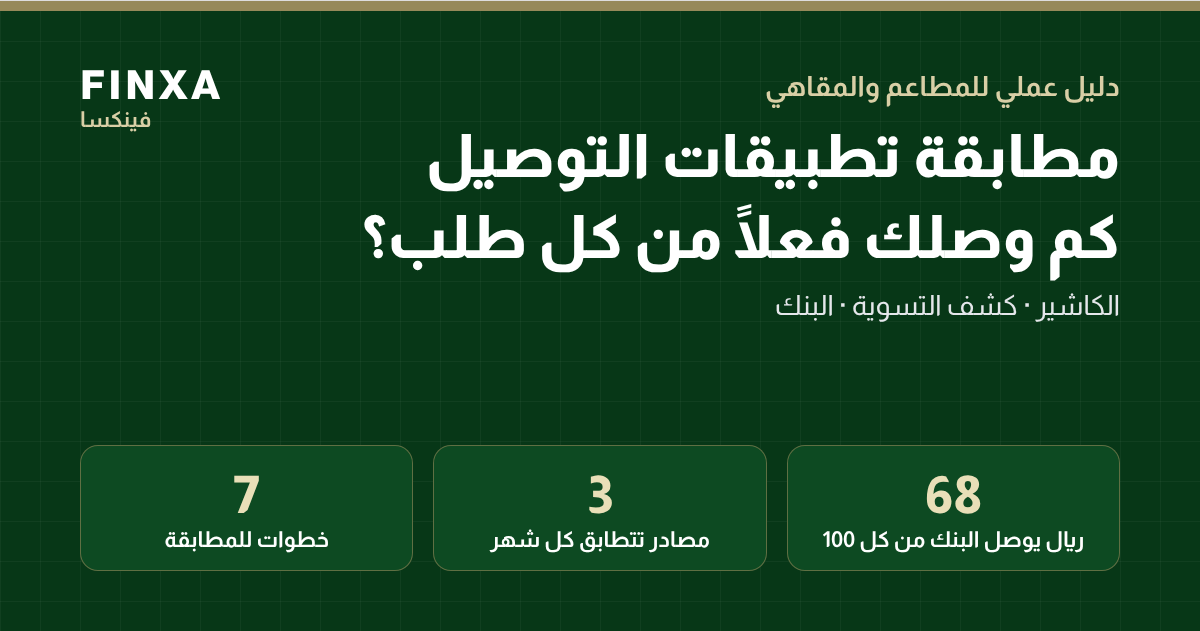
- In the illustrative example, the bank received approximately 68 riyals out of every 100 riyals in sales.
- What is the matching of delivery apps?
- Why does the difference between sales and conversions grow without you noticing?
- Example with numbers (illustrative example)
- Steps to match delivery apps each month
- VAT and app invoices
- Common mistakes in matching delivery apps
- Can you do it yourself?
- Frequently Asked Questions
What is the matching of delivery apps?
Matching delivery applications is comparing three sources with each other for each application and for each settlement period:
- Cashier or point-of-sale system: Orders recorded by the restaurant through the app and their value.
- The settlement was revealed by the application: The report that the application sends shows sales, commission, discounts, returns and the net amount due to you.
- Bank statement: The amount that was actually deposited and its date.
If the three are identical, great. If there is a difference, the matching will tell you exactly where it is: in the orders themselves, or in the discounts, or in the transfer.

Why does the difference between sales and conversions grow without you noticing?
Most restaurants see the sales figure at the cashier and assume the app «just deducts its commission.» In reality, the difference usually consists of more than one item:
- Basic commission The percentage is agreed upon in your contract with the application, and it varies depending on the contract and the application.
- Value Added Tax (VAT) on commission: The commission is a service fee, and the application bills you for it along with the tax.
- The restaurant's share of offers and discounts The ones you subscribed to (such as a discount on the order or free delivery, you bear part of it).
- Advertising and visibility fees Within the app if you are subscribed to it.
- Cancelled and returned orders The amount or part thereof will be deducted.
- Incomplete or duplicate requests Between the cashier and the app.
Each item individually is small, but with multiple applications, multiple branches, and weekly settlements, the monthly difference becomes a number that deserves to decrease.
Example with numbers (illustrative example)
A restaurant with one branch reported sales of 40,000 riyals per month on an app, according to the cashier. This is a simplified matching model.For illustrative purposes, the figures are not for any real restaurant and do not represent the commission rate of a specific app.):
| Item | Amount (Riyals) | Observation |
|---|---|---|
| Sales by cashier | 40,000 | Application requests registered in the point-of-sale system |
| Sales as per settlement statement | 39,200 | Difference 800 = Orders at the cashier not found on the statement |
| commission | (7,840) | Illustrative example: 20% of sales disclosure |
| VAT on commission 15% | (1,176) | Deductible on your tax return if you have a tax invoice |
| The restaurant's share of the offers | (1,500) | Offer I subscribed to during the month |
| Cancelled and returned orders | (600) | The reason for each request needs to be reviewed. |
| Net due as per statement | 28,084 | |
| The transfer is actually to the bank | 27,300 | Difference 784 = Payment not received or discount not shown |

The result in this illustrative example: out of every 100 riyals in sales at the cashier, approximately 68 riyals reached the bank. More importantly, the reconciliation revealed two discrepancies that require investigation: 800 riyals in orders not shown in the app statement, and 784 riyals between the net amount due and the amount transferred. Without reconciliation, these discrepancies would be lost within the «commission» figure.
Steps to match delivery apps each month
1) Collect the three documents for each application
Generate the app's sales report from the cashier, download reconciliation statements and invoices from the merchant portal in each app, and print the bank statement for the same period. Don't rely solely on the app's summary screen; you need order-level details.
2) Unify the period
Applications typically process payments periodically (weekly or as per contract), and the transfer is processed a few days after the payment period ends. Specify the payment period for each settlement within the statement itself, and match it to the cashier's requests on the same dates, not the entire calendar month at once.
3) Order level: Cashier vs. application receipt
Look for the order number in both sources. An order that is at the cashier but not on the receipt, or vice versa, needs explanation: Was it canceled? Was it recorded twice? Did the cashier mistakenly record it as a dine-in order?
4) Dissolve the disputes
Separate each discount item into a separate column: commission, tax, offers, advertising, refunds. Compare the actual commission rate to the rate stated in your contract. If there is a higher rate than the contract or any unclear clause, ask merchant support for clarification.
5) Net floor with bank
Every bank transfer must be accompanied by a reconciliation statement. A transfer that is incomplete, delayed, or combined with another period is recorded as an open item until clarified.
6) Record the entries correctly in the books.
The clearest accounting method is to record sales as gross, commissions and promotions as separate expenses, and commission tax as an input tax. This way, you see the cost of each application clearly in the income statement, instead of recording «net» revenue and omitting the commission. The final recording method depends on your contract with the application and your invoicing method, so review it with your accountant.
7) Get the «net per application» figure»
At the end of the reconciliation, calculate for each app: Net amount received by the bank ÷ Cashier sales. This figure helps you decide: which offers to continue with, which apps to adjust your prices for, and whether the price of the dish on the app actually covers its cost. (For information on the actual cost of the dish, read:) The actual cost of a dish in Saudi restaurants.)
VAT and app invoices
The standard value-added tax (VAT) rate in the Kingdom is 15%, and it will be applied from July 1, 2020. Value Added Tax (VAT) page on the Zakat, Tax and Customs Authority website. The commission that the application takes is a service fee subject to tax.
The key point for a registered restaurant owner: they are entitled to deduct input tax paid on purchases used in their business, but the authority's guidelines require proof of the transaction and the tax paid, usually a tax invoice (see Authority's guide for implementing the 15% rateThis means that if you do not download the commission invoices from the application portal every month, you may lose a tax discount that you have already paid.
If you want someone to review the declaration file before uploading it, see VAT return preparation and review service.
Common mistakes in matching delivery apps
- Recording the bank transfer as a sale: Your sales appear lower than they actually are, the commission disappears from the expenses, and the tax return gets messed up.
- Sufficient for the monthly total: The difference in the total does not tell you which order or which discount is the reason.
- Forgetting the restaurant's share of the offers: A «successful» offer in terms of the number of orders may be a net loss.
- Commission invoices not downloaded: This results in the loss of input tax that could have been deducted.
- Combine all apps into one account: You don't know which app will make you profitable and which one will eat into your margin.
- Matching once a year: After a year, it becomes difficult to retrieve an order or dispute a discount. Monthly verification allows for timely appeals.
- Do not separate the branches: If you have more than one branch, level each branch separately, because the difference is often concentrated in one branch.
Can you do it yourself?
Yes, if you have one branch and one or two apps, an Excel spreadsheet organized according to the previous steps is sufficient, and you'll need approximately a few hours each month. However, with multiple branches and three or more apps, and weekly reconciliations, the work becomes two days or more per month. In this case, it's more cost-effective to have a restaurant accountant handle the monthly accounting as part of the process, providing you with a ready-made net figure for each app and branch.
Frequently Asked Questions
How many times do I need to match delivery apps?
Ideally, this should be done with each adjustment, and at least once a month before closing the books and preparing the tax return. The closer the adjustment is to the date of the request, the easier it is to contest any deduction.
Should I record app sales as gross or net after commission?
In most cases, recording the total amount with the commission as an expense provides a clearer picture and a more accurate breakdown of input tax. However, the correct handling depends on your contract with the application and who issues the invoice to the customer, so review it with your accountant.
Can I deduct the VAT on the commission?
If you are registered for VAT, and the commission is related to your taxable activity, and you have a tax invoice to prove it, then according to the authority’s guide, you can deduct it within the limits of the amount shown in the invoice.
What should I do if I find an incomplete order or an unclear discount?
Collect the order number, date, and settlement statement, and submit an inquiry to merchant support within the app. Record the difference as an open item in your books until you receive a response; do not write it off as an expense from the outset.
Would matching be beneficial if my sales on apps are low?
This helps determine if selling on the app is actually profitable. Sometimes, after deducting commissions and discounts, it turns out that some items are sold on the app for less than their cost.
Is a special accounting program necessary?
No. Any accounting system that allows separate accounts for each application and each branch is sufficient. The important thing is the organization: an intermediary account for each application, a commission expense account, an account for promotions, and linking bank transfers to the reconciliation statement.
Let us match it for you: Free check-up for a month
At Phoenix, we work remotely with restaurants and cafes, and every month before the 10th, we deliver the profit for each branch separately and the net profit for each delivery app. Learn more about the service in [link/contact information]. Restaurant and cafe accounting pageand the packages in Price page.
- Free check of one month's books within 48 hours, and we will hand over every difference we find.
- First month of full accounting is free, with no contract and no obligation.
- After the free month, you choose: continue with us or stop and your books are in order.
Contact us via the WhatsApp button on the website, type «App Scan» and we'll get started with you.
1 thought on “مطابقة تطبيقات التوصيل للمطاعم: كيف تعرف كم وصلك فعلًا من كل طلب؟”
Pingback: The true cost of a dish in Saudi restaurants: 4 forgotten costs | Phoenix